
We are incredibly happy when you take a moment to leave a review!
Here you can find out why it is so important!
Reviews help other buyers find the right product for them.
They show us what works well – but also what we can improve.
Even critical feedback is gold for a small shop like ours.
It helps us to constantly improve our products and our service.
Every review counts – whether it’s five stars or constructive criticism. 💛

1. On etsy.com: sign in and go to “Your account”. In the Etsy app: sign in and tap “You”.
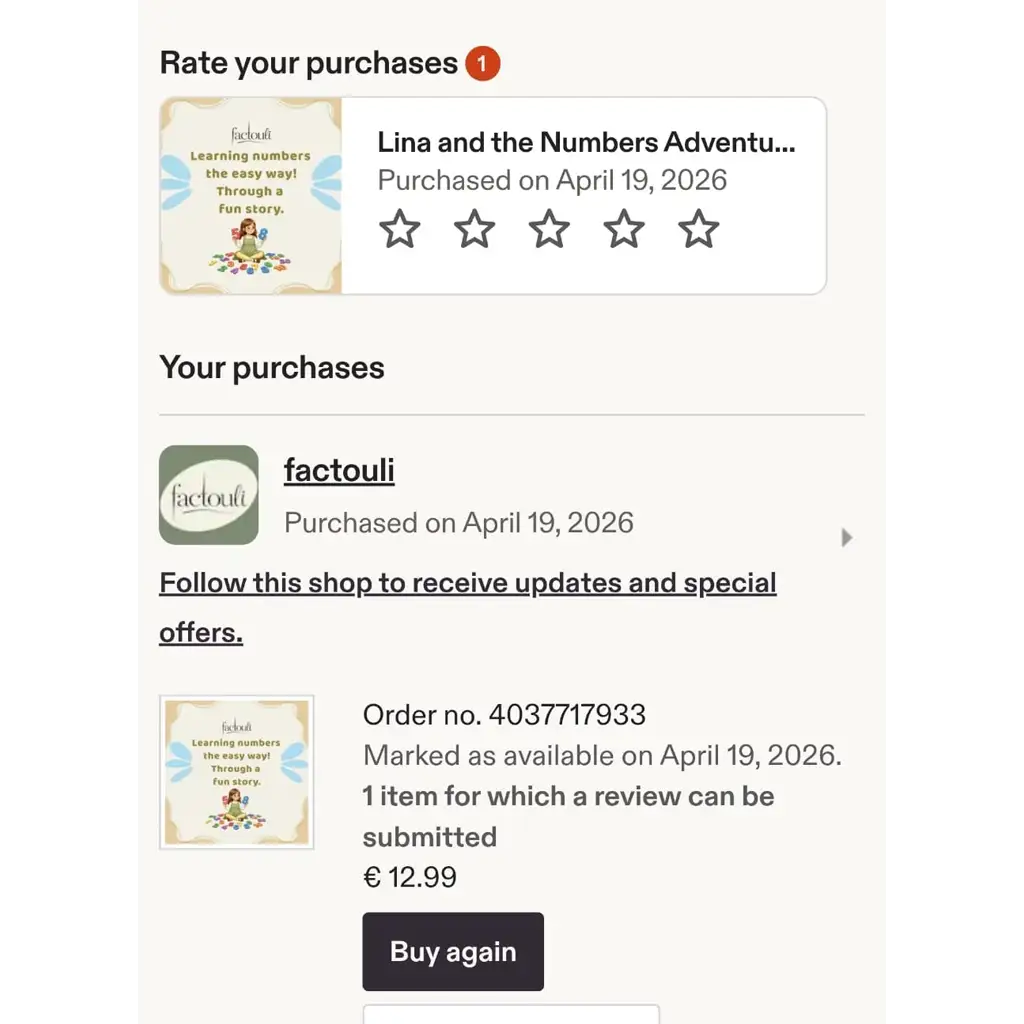
2. Go to “Purchases”.
3. Find your order from factouli.
4. Next to “Review this item”, choose your star rating.
5. Describe the item and the service you received. You can also give separate star ratings for item quality and customer service.
6. Add a photo or video if you like. Other buyers find this especially helpful.
7. Select “Post your review.”
Good to know:
You have 100 days to leave a review. For digital items, that window starts once you download your order.
If you bought as a guest without an account, you need to link the order to an Etsy account first before you can leave a review.
You can edit your review as often as you like within those 100 days, unless the shop has already replied to it.
💡 Tip:
A couple of specific sentences help far more than “great, thanks”. What did you use it for? What worked well?
Thank you for taking the time.
Every review genuinely helps us.
Something wrong with your order?
Get in touch first, and we’ll do our best to sort it out.